Laptop repair in Leeds
You want to know what is actually wrong with it, what it will cost, and whether it is even worth the money. So tell us what the laptop is doing and when it started doing it. We will find the fault, say plainly whether it is worth repairing, and give you one fixed quote before anything is opened. If we cannot fix it, you pay nothing for the repair.
Do this right now
Swollen battery? Do this right now
- Stop charging it. Unplug the charger now and switch the machine off.
- Do not press on the bulge, and do not try to prise the battery out yourself.
- Keep it off soft furnishings and somewhere it cannot do any harm until it is dealt with.
- Send us an enquiry. We read every enquiry day or night, Sunday to Friday, so a swelling battery does not have to wait until the morning. It is a fire risk, and it needs to come out promptly and safely.
- No fix, no fee on the repairIf we cannot fix it, you do not pay for the repair. In writing, on every job.
- Free advice by messageDescribe the fault and we will tell you what it sounds like and whether it is worth doing, before anyone travels.
- We come to youAcross Leeds, West Yorkshire and North Yorkshire, or we collect and return.
- A real person repliesNot a call centre, not a ticket queue: we read every enquiry, day and night, Sunday to Friday. The fixed quote you agree is the price you pay.
Does this sound like yours?
The faults we see most
- Nothing happens when you press the power button, or a light comes on and then it dies
- It only charges if the cable is held at a certain angle, or the port feels loose and wobbly
- The battery lasts minutes, or it says it is plugged in and still drains
- The case is bulging, or the trackpad has started lifting away from the body
- It drops to a blue screen, restarts itself, or freezes hard and has to be held down
- The fan is roaring, the underside is too hot to sit on your lap, and it shuts off under load
- Keys have stopped responding, are repeating themselves, or a key has come away
- A drink went into it and it has not been right since, or it has stopped altogether
- It reaches the maker's logo and goes no further, or it loops through a repair screen
Not on the list? Send an enquiry anyway and describe it. Describing it to us in a message is free either way.
What we do
Name the fault, then the fix, then the price
-
You describe the fault in your message, so we turn up with the right kit and a fair idea of what we are looking at
-
We come to you across Leeds, at home or at work, because most people would rather not unplug a whole desk setup or carry an expensive machine across town. We can collect it and bring it back instead if that suits you better
-
A laptop that will not turn on: we work through the charger, the port, the battery and the power delivery on the board, in that order. It is far more often one of those than a dead mainboard, and we will not condemn a board until we have proved it
-
Blue screens and random crashes: we read the crash records the machine has already written and test the memory and the drive, rather than reinstalling Windows and hoping the fault went with it
-
Overheating: we open it, clear the fan and the heatsink, renew the thermal paste, then run it under load to check the temperatures actually hold before we hand it back
-
Charging ports, keyboards and batteries: we identify the exact part for your model and tell you whether it is a straight swap or soldered to the mainboard, because that is what decides the job
-
A swollen battery comes out promptly and safely. It is a fire risk, and it will keep forcing the case apart until it is dealt with
-
Water damage: we get it off power, open it, and clean the board before corrosion sets in. Then we tell you honestly what we can see and what the odds are
-
You get a fixed quote before any work begins. If it cannot be fixed, or it is not worth the money, we say so and you pay nothing beyond any call-out you agreed
How long it takes
An honest answer, not a booking slot
Blue screens, crashes and other software faults are often sorted inside the visit. Fans, thermal paste, batteries and most keyboards are usually same day or next day once the part is in hand. Charging ports and anything model-specific depend on how quickly the right part reaches us, which can take a few days. Water damage is the one job we will not put a clock on, because the board has to be cleaned properly and dried properly before it goes near power again. Whichever yours turns out to be, you will know at the point we quote, not afterwards.
What it costs
Free advice by message, a call-out quoted first, then a fixed price
Telling us the fault in a message costs nothing, and it is worth doing first: some faults we can sort over a remote link without anybody travelling. If it needs a visit there is a minimum call-out, quoted before we travel, and it comes off the price if you go ahead. We do not publish a price list beyond that, because a price list for this work would be a fiction: the same fault costs different money on different machines. What we can do is tell you what moves the number, then give you one fixed quote before any work starts. If we cannot fix the fault we quoted for, there is no repair fee.
What drives the price
- Whether it is software, which costs time, or hardware, which costs a part as well
- The part itself, and what it costs for your exact make and model, which can differ sharply between two laptops that look much the same
- Whether the broken part is a bolt-in module or soldered to the mainboard, because those are two very different jobs
- How the laptop is built, since some are glued shut and take far longer to open without wrecking the case
- How far the fault has run before we see it, for example a spill left to corrode or a fan left to grind
- Whether you want data pulled off or backed up while the machine is already open
Where we work
We come to you across Leeds, West Yorkshire and North Yorkshire
Home or work, day or night, Sunday to Friday. There is no walk-in shop, so we come to the machine, or collect it and bring it back. Start at computer repair in Leeds, or pick your area.
Questions
The things people ask
Can you do it today?
Send an enquiry and we will tell you straight, whatever the hour, because the honest answer depends on the fault rather than on the day. A lot of software faults can be sorted the same day, and some of them the same night over a secure remote link while you watch. Fans, batteries and most keyboards are usually same day or next day once the right part is in hand. Anything waiting on a part ordered in for your exact model can be a few days, and water damage we will not put a clock on at all. We are open day and night, Sunday to Friday, and closed on Saturdays, so your enquiry does not have to wait for the morning.
My laptop will not turn on at all. Is it dead?
Usually not. A laptop showing no sign of life is most often a failed charger, a worn charging port, a battery that will no longer hold or pass power, or a stuck power state that clears once the board is properly reset. A genuinely dead mainboard is the last thing we conclude, not the first, and we will not call your laptop a write-off until we have proved it. Describing it in a message costs you nothing, any hour from Sunday to Friday.
How much will it cost to fix?
We do not publish prices, because the same fault costs different money on different laptops and any figure we printed would be a figure we had to break. You get free advice by message and then one fixed quote before any work begins, so you are deciding with the real number in front of you. If we cannot fix it, there is nothing to pay for the repair.
It only charges when I hold the cable at an angle. Can that be repaired?
Yes. That is a worn or cracked charging port, and it is one of the most common laptop faults there is. What decides the cost is how your machine is built: on many models the port sits on its own small board and comes out as a unit, while on others it is soldered to the mainboard, which is slower and more delicate work. We will tell you which yours is when we quote, not once the job is underway.
The case is bulging and the trackpad is lifting. What is that?
That is a swollen battery, and it is worth taking seriously. Stop charging it, keep it somewhere it cannot do any harm, and do not press on the bulge or try to prise the battery out yourself. A swelling cell is a fire risk and it will keep pushing the case apart. It needs to come out and be replaced with the correct battery for your model. Send us an enquiry and we will come and deal with it.
I have spilled a drink on it. What should I do right now?
Shut it down immediately, unplug the charger, do not keep pressing the power button to see whether it survived, and stand it upside down so the liquid runs back out rather than further in. Rice does nothing. What kills a board is corrosion, and corrosion spreads while you wait, so the sooner it is opened and cleaned the better the chances. Spills are the one repair nobody can promise, and we will not pretend otherwise. If we cannot save it, you do not pay for the repair.
Will I lose my files?
Most repairs do not touch your data at all, and keeping your files intact is always the aim. If a job does put them at risk, we will say so before we start and back them up first. If the drive itself is the thing that is failing, that becomes a data recovery job, and we will be straight with you about what is realistically recoverable.
Is your work guaranteed after the repair?
Yes. We stand behind the repairs we carry out. If the same fault we fixed returns as a result of our work, get in touch and we will put it right at no charge. Inside 90 days we do that without argument. Past 90 days we will still look at it on its merits, because a reasonable period for a fitted screen and a reasonable period for a fifteen-year-old desktop are not the same thing. This sits on top of your statutory rights, not instead of them, and those last longer. It does not cover new or unrelated faults, accidental damage, liquid damage, or problems caused by other work carried out after ours.
Worth reading first
A plain-English guide before you spend anything
- Laptop will not turn on? The simple checks to try before you panic A dead laptop is not always a broken one. The calm, ordered checks that rule out the cheap and simple causes first, and when to get it looked at.
- Computer died at night before a deadline? Who is actually awake, and what to do first It is 11pm, the machine is dead and the work is due tomorrow. The calm first checks, what can be fixed tonight over a link, and a repair firm that is actually awake.
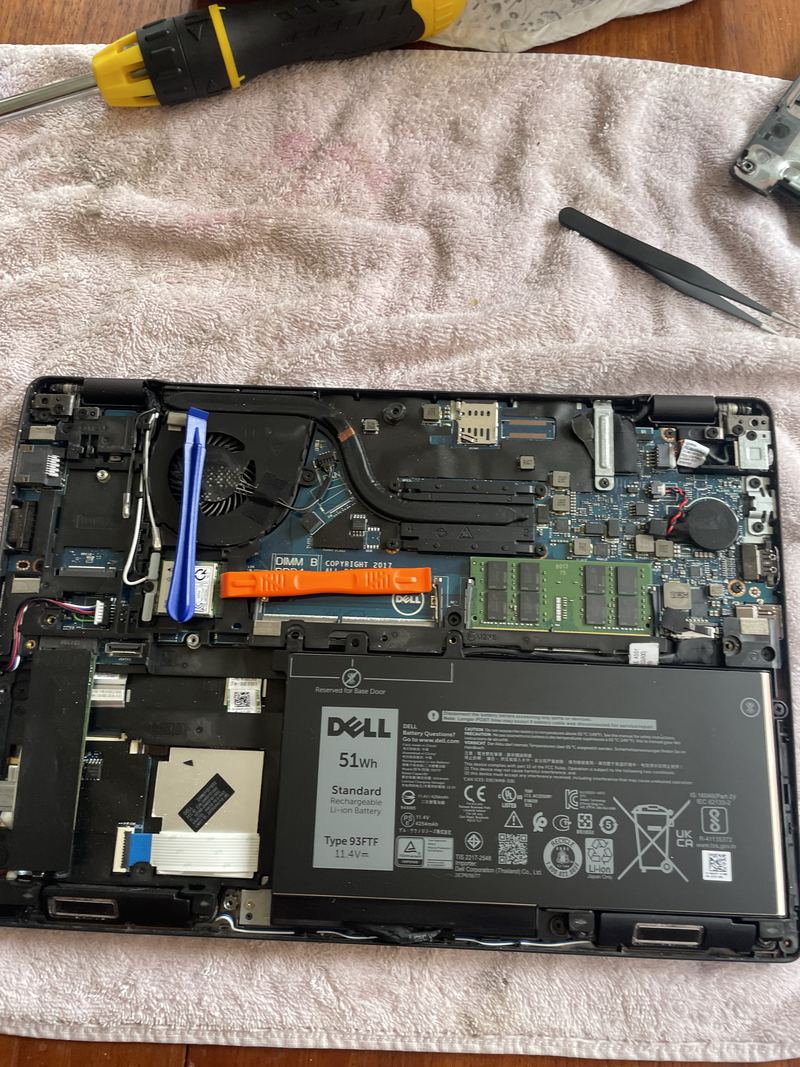
- Replacing a laptop battery: a Dell Latitude 5290, start to finish What a laptop battery replacement actually involves, photographed as it was done on a Dell Latitude 5290: the base off, the old cell out, a new cell in from its anti-static bag, and what to check before the machine goes back into use.
Related repairs
You might also need
Laptop screen replacement
Cracked, flickering, black, lined or dim? We prove whether the panel is really the fault, then fit the right one for your model at a fixed quote.
Computer upgrades and speed-ups
An SSD, more memory, and a proper clean-up can make an old machine feel new. We measure what is actually holding yours back before you spend anything.
Data recovery
Deleted files, a failing drive, or a laptop that will not start. We tell you what can honestly be recovered before you spend anything, and what cannot.
Liquid & water damage
A spill on a laptop or keyboard? Get it off power now and send us an enquiry. This is the one repair nobody can promise, and we will not pretend otherwise.
Emergency computer repair
A fault does not wait for opening hours. We read every enquiry day and night, Sunday to Friday, advice by message is free, and a good number of software faults are sorted the same night over a secure link.
Tell us what is wrong.
Send an enquiry and describe the fault. We will find the fault properly, give you a fixed quote before any work, and if we cannot fix it there is nothing to pay for the repair. A real person who does the work, not a call centre.