Real job · Laptop that would not turn on
A laptop that would not turn on, opened up
A Lenovo IdeaPad Flex 5 that would not power on. Inside, a component on the mainboard had burnt. We found it, set out the honest options, and the owner chose not to repair, which was the right call for them.
The photographs
-
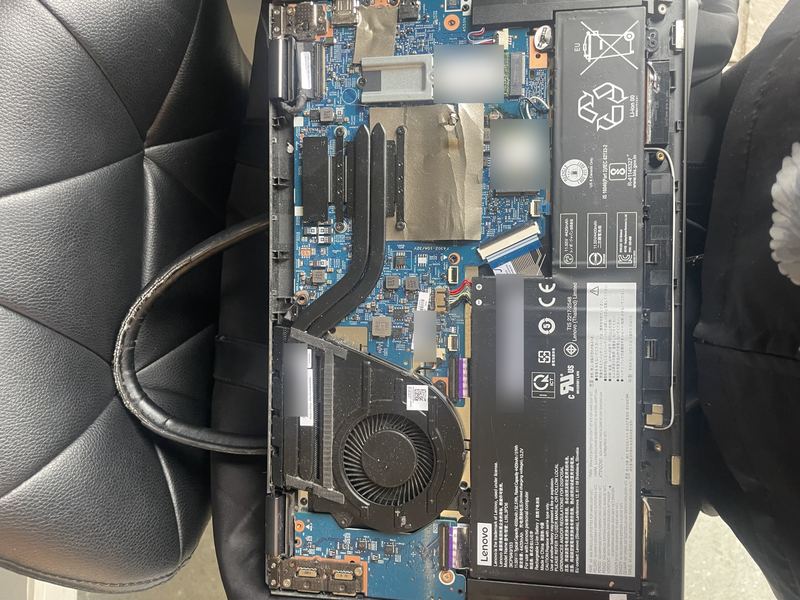
Real job · not stockThe base off. Some faults are only found from the inside. -
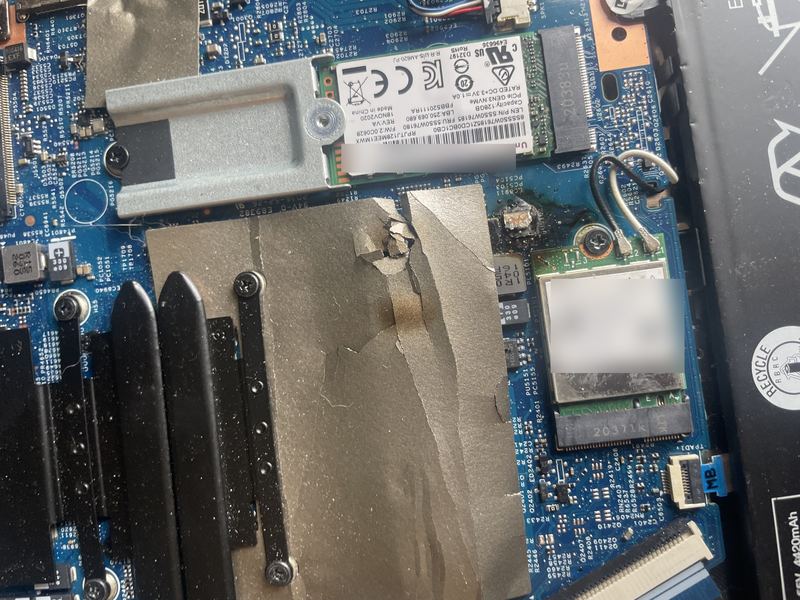
Real job · not stockThe fault. A component beside the Wi-Fi card has burnt, and the shielding foil around it is scorched. -
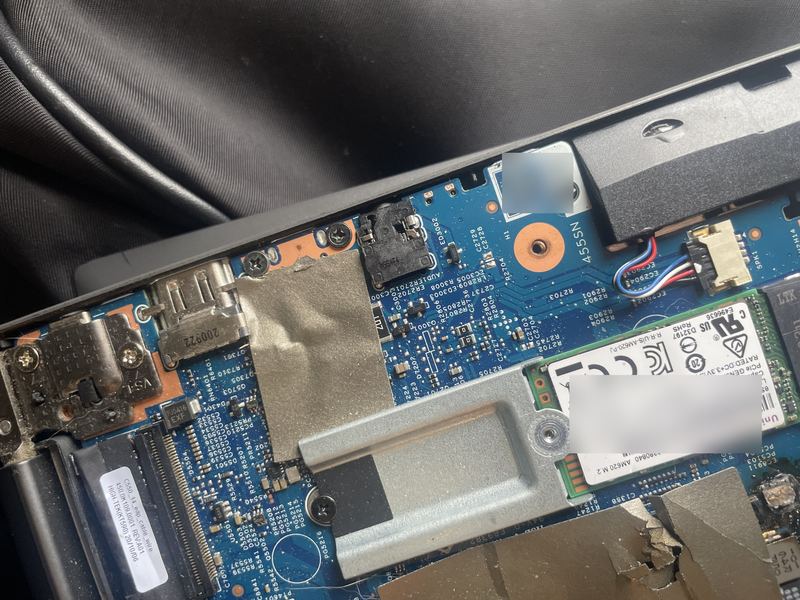
Real job · not stockThe board edge by the hinge: the ports are fine, the damage is further in. -
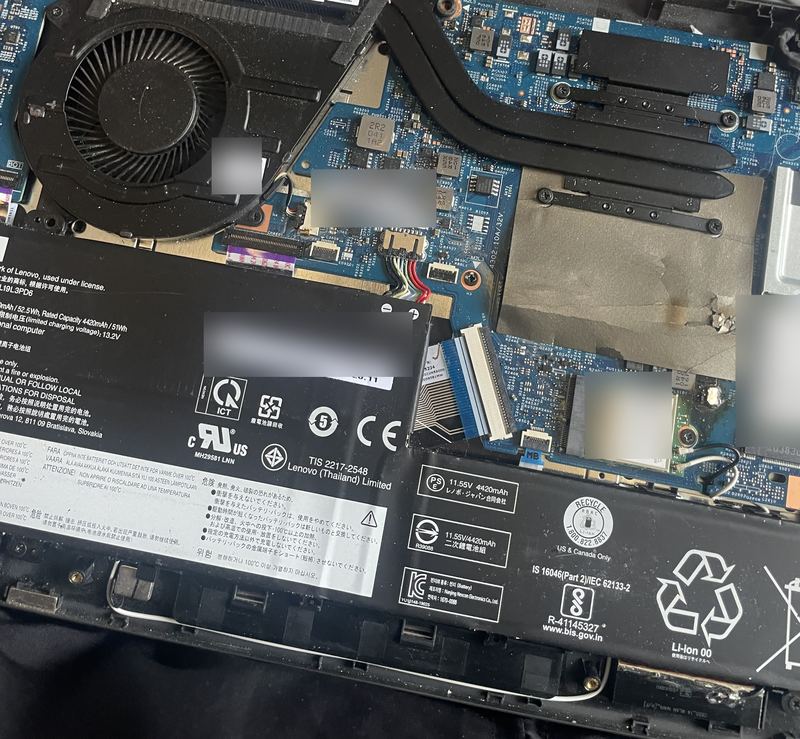
Real job · not stockThe whole board. The 128 GB SSD at the right edge is a separate part, so the files on it are not lost with the board. -
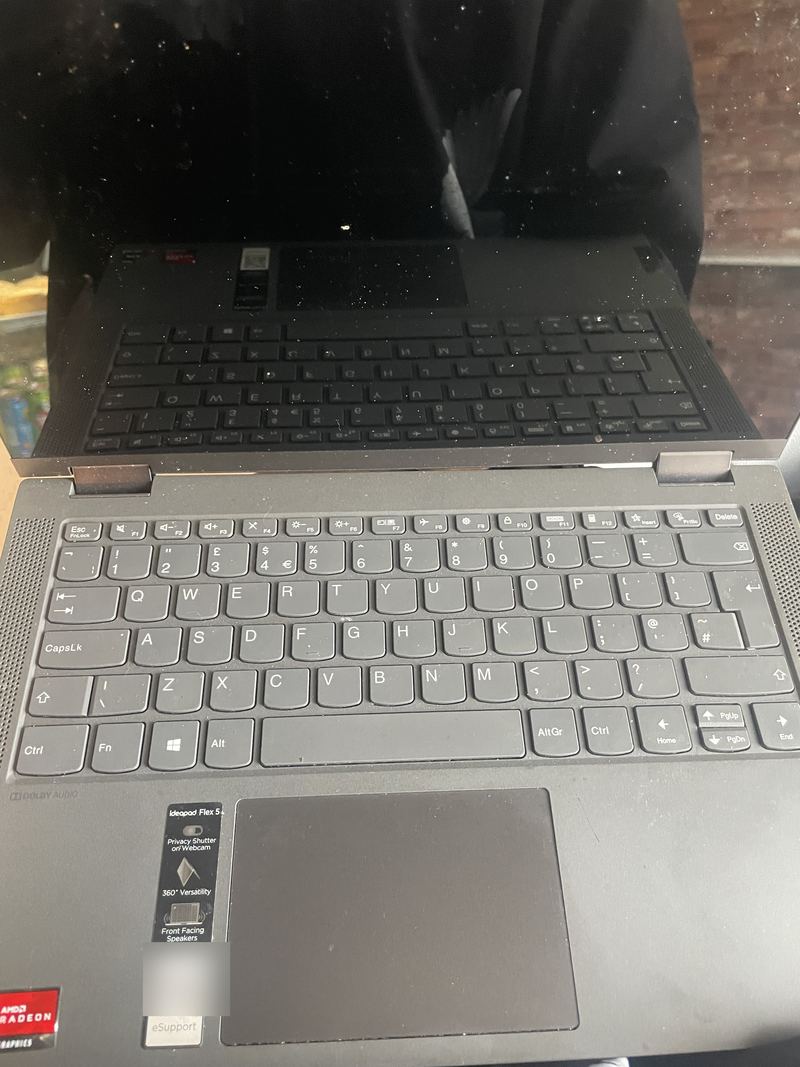
Real job · not stockThe machine itself: an IdeaPad Flex 5, dark. -
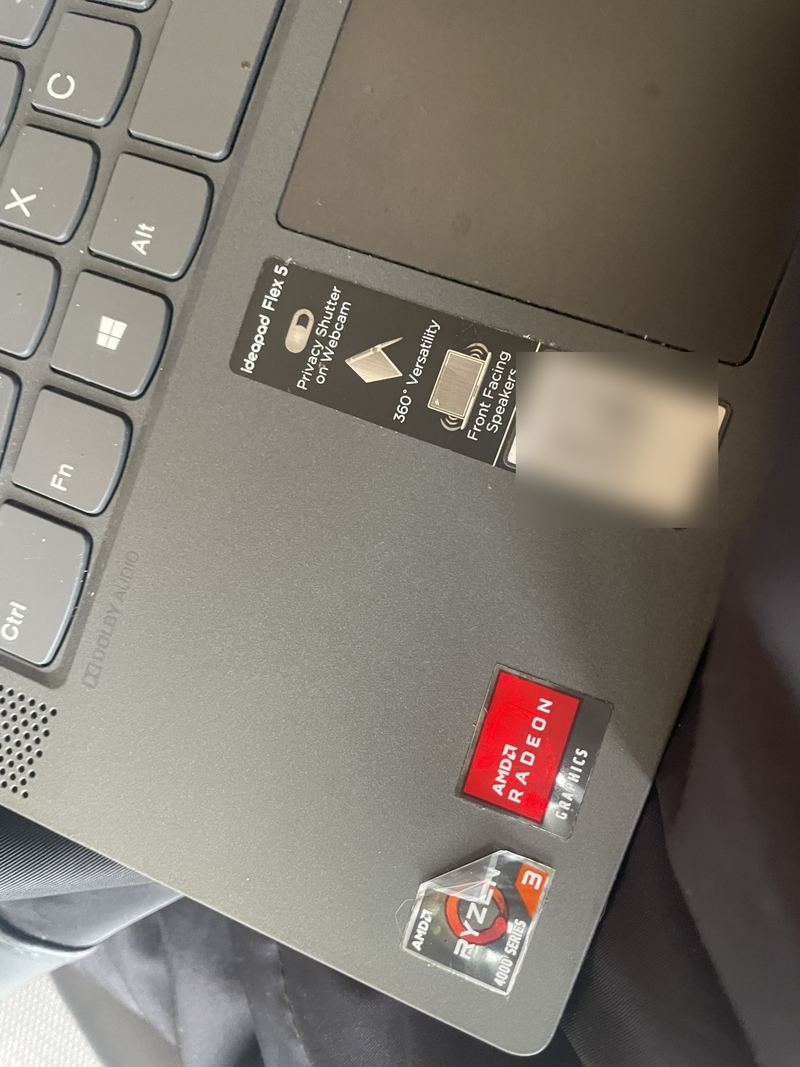
Real job · not stockA Ryzen 3 IdeaPad Flex 5 from about 2020. The support code is blurred, because it identifies the machine.
The job
What happened.
A laptop that will not turn on is one of the most common calls we get, and the cause ranges from the trivial to the terminal: a charger, a charging port, a power button, a battery, or something on the mainboard. This IdeaPad Flex 5 would not turn on, so the base came off to look rather than guess.
The answer was on the board. A component beside the Wi-Fi card had burnt, badly enough to scorch and tear the shielding foil around it. That is not a part you swap at a kitchen table; it means a replacement mainboard, or a board-level repair by a specialist, on a modest 2-in-1 from about 2020.
So the honest conversation was about what the laptop was worth to its owner, and what the files on it were worth. The SSD is a separate part, so the files could be recovered from it whatever happened to the board. The owner weighed it up and chose not to repair, and that was fine: the point of the visit was to know, and now they did.
What we did
- Took the base off to see the board, rather than guessing from the outside.
- Found the burnt component beside the Wi-Fi card, with the shielding foil scorched around it.
- Set out the honest options: a replacement mainboard or a board-level repair by a specialist, or recovering the files from the SSD and putting the money towards a newer machine.
- The owner chose not to repair, and knew exactly why.
Why it was worth doing
Not every visit ends in a repair, and this one was not meant to. A laptop that will not turn on can be a charger, a port or a button, or it can be this, and knowing which, from looking rather than guessing, is what the call-out pays for. It let the owner decide with the facts in front of them, and it kept them from spending repair money on a machine that did not deserve it.
What it costs: a job like this starts from the £50 call-out, which is the first £50 of the job, and you get one fixed quote before any work. How pricing works, and how you pay.