Genuine, compatible or used parts: what each means for your phone or laptop repair
Every repair quote hides a question most people never think to ask: which part is going in? A new screen or battery for the same phone can come from the maker, from another company that makes parts to fit, or out of another phone. They can look identical, but they do not always behave the same, and an iPhone can keep its own record of which one you got.
This guide explains the three kinds of part, what phones and laptops do about each, where genuine parts come from in the UK, and what to ask before you agree to a repair. Every outside fact comes from the source’s own page, checked on 3 November 2026 and linked where it appears.
The three kinds of part
Genuine means made by your device’s maker, or made for it and supplied through it. Apple calls these genuine Apple parts, and Samsung and Google use the same word for the parts they supply.
Compatible, also sold as aftermarket or third-party, means made by another company to fit your model. How well one works depends on who made it, and from the outside that can be hard to tell.
Used or refurbished means the part has been in another device before, and it can still be genuine. Apple says what it fits in its own repairs may include previously used genuine parts that have been tested and passed its functional requirements, and that a part moved from one iPhone to another may work, but its performance and quality may be inconsistent. So ask where a used part came from and whether anyone tested it.
None of these words is a quality grade on its own. Genuine tells you who made the part, not who fitted it or how well.
What an iPhone records after a repair
Parts and Service History
Since iOS 15.2, a repaired iPhone shows a Parts and Service History section in Settings > General > About. Apple’s Parts and Service History page says it covers the battery, display, logic board (the main board) and cameras on the iPhone 12 and later, the battery and display on the iPhone 11 models, and the battery on the iPhone XR, XS, XS Max and SE (2nd and 3rd generation). The record stays with the phone: Apple says a new owner can see it too.
Next to each part you may see one of these words:
- Genuine: the repair used genuine Apple parts and processes.
- Used: a genuine part already used or installed in another iPhone. Apple shows this on the iPhone 15 and later with iOS 18 or later for the battery, display and rear camera, and on the iPhone 16 and later for the front camera.
- Unknown: Apple’s reasons are that the part is not a genuine Apple part, is not working as expected, has not been verified and linked to the iPhone after the repair, or has been modified or cannot otherwise be verified. Apple says an Unknown part might affect the trade-in value, and the phone shows a notification the first time you unlock it after the repair and again five days later.
- Unverified: a logic board previously used in another iPhone, which Apple says may affect features such as Apple Pay.
- Finish Repair: a genuine part that has been fitted but not yet calibrated.
Apple says these messages do not stop you using the iPhone, unless the description says otherwise.
Calibration and Repair Assistant
Apple stores each genuine part’s calibration data on its servers when the part is made, and finishing the repair downloads it to the phone. The tool is Repair Assistant: Settings > General > About > Parts and Service History > Restart & Finish Repair. It needs Wi-Fi, more than 20 per cent battery and the latest iOS, and Apple lists it for the iPhone 12 and later, and for the battery and Touch ID on the iPhone SE (3rd generation).
Until then, Apple says the part may not perform as well as a calibrated one, and if Face ID or Touch ID parts were replaced, neither can be used to unlock the phone, make payments or sign in to apps. If you see Finish Repair after a repair with a genuine part, you can run Apple’s steps yourself.
Apple also says a part someone else installed may be protected by Activation Lock, and a part you cannot unlock is not eligible for service under Apple’s warranty or AppleCare and stops you trading the phone in.
What can change with a non-genuine screen or battery
The screen
Apple’s page About genuine iPhone displays says a non-genuine display may mean:
- True Tone not working correctly.
- An ambient light sensor that dims or brightens the screen at the wrong times.
- Colours that are off, too yellow or too blue, and brightness that is uneven or lower at its maximum.
- Battery drain when there should be none.
- Missed taps, taps in the wrong place, palm and edge touches, or a screen that stays on during calls.
Apple adds that a problem can appear later, after an iOS update that contains display updates.
The battery
When an iPhone XS, XS Max, XR or later cannot verify its battery, the Battery Health screen says “Unable to verify this iPhone has a genuine Apple battery”, and Apple says the battery health figures may not be accurate. Apple’s page on genuine iPhone batteries warns that a non-genuine battery may be poorly made, previously used, damaged or the wrong one for the model, which can mean too little capacity, a poor fit, odd behaviour after an update or while charging, and safety problems. It says only trained technicians should replace an iPhone battery, to avoid damage that could cause overheating, fire or injury.
Face ID and Touch ID
Face ID does not live in the screen. It comes from the TrueDepth camera at the top of the phone, which Apple counts as the front camera. Apple’s page on genuine front cameras lists a non-genuine part, a used part and an unfinished calibration among the reasons for a Face ID issue message, and says Face ID cannot be used to unlock the phone, authorise payments or sign in to apps until calibration is complete. The TrueDepth camera also contains lasers, and Apple’s Face ID page warns that an improper repair, or non-genuine components in the laser systems, could cause injury to eyes or skin.
Touch ID follows the same rule: Apple says it cannot unlock the phone or sign in to apps until the part’s calibration is complete.
So on a screen repair, ask how the repairer keeps Face ID working. On the iPhone 12 and later, Apple’s own display procedure, in the iPhone 15 Repair Manual for example, leaves the TrueDepth camera in the frame, so a new display does not disturb it. On the iPhone 11, which has no Apple repair manual, we move the earpiece and sensor assembly across to the new display. Our iPhone repair pages go through it model by model.
Where genuine parts come from in the UK
Apple
Apple repairs iPhones in its stores, through Apple Authorised Service Providers and by post. Independent Repair Providers also have access to genuine Apple parts; Apple says their repairs are not covered by its warranty or AppleCare, but may be covered by the provider’s own warranty. Two more routes are open:
- Self Service Repair is available in the UK, for people with the knowledge and experience to repair electronic devices. You read the repair manual for your model, then buy genuine parts and buy or rent tools from the Self Service Repair Store, run by a third party with Apple’s authorisation.
- Genuine Parts Distributor sells genuine Apple parts through distributors to repair businesses with no direct service relationship with Apple. In the UK, Apple names MobileSentrix and Mobileparts.shop.
In short, a genuine Apple part is no longer something only Apple can fit.
Samsung
Samsung’s Self-Repair programme came to the UK in June 2023. Genuine parts and toolkits are sold through Samsung’s partner website for the models it lists, from the Galaxy S20 to S25 series to several Galaxy A models and the Z Flip5, Z Flip6, Z Fold5 and Z Fold6, and its UK page adds any new models launched after 1 June 2025. Samsung says supported models can differ by country.
Samsung’s UK page says you do not need to enter the IMEI or pair new components with the phone. It recommends running Phone diagnostics in the Samsung Members app after a repair, and you can also use its Self Repair Assistant app from the Galaxy Store to pair a new battery’s serial number and re-calibrate the phone. If the battery is swollen, Samsung says do not attempt the repair yourself.
Google Pixel
Google sells genuine Pixel parts through iFixit. In the UK, iFixit UK stocks batteries and all other parts for Pixel 2 and later phones, and Google publishes repair manuals for the Pixel 6a and newer. Pixel 3 and later phones include a repair diagnostics app, opened by dialling *#*#7287#*#* in the Phone app while online, and Google points to its online Pixel repair tool for adjusting the fingerprint sensor under the display. Battery health on the Pixel 8a and later is covered in our battery health guide.
Laptops: batteries and chargers
Batteries
A laptop battery is matched to the exact model, by part number, voltage, capacity and connector, and two laptops with the same name on the lid can take different batteries.
Apple’s page on Mac battery service says a built-in Mac battery should be replaced by Apple, an Apple Authorised Service Provider or an Independent Repair Provider using genuine parts, and that damage from repairs by untrained people or with non-genuine parts is not covered by its warranty. Whatever the laptop, the swelling rule is the one on Microsoft’s battery care page: if a battery has expanded beyond the casing, stop using the device immediately and avoid pressing on or puncturing it.
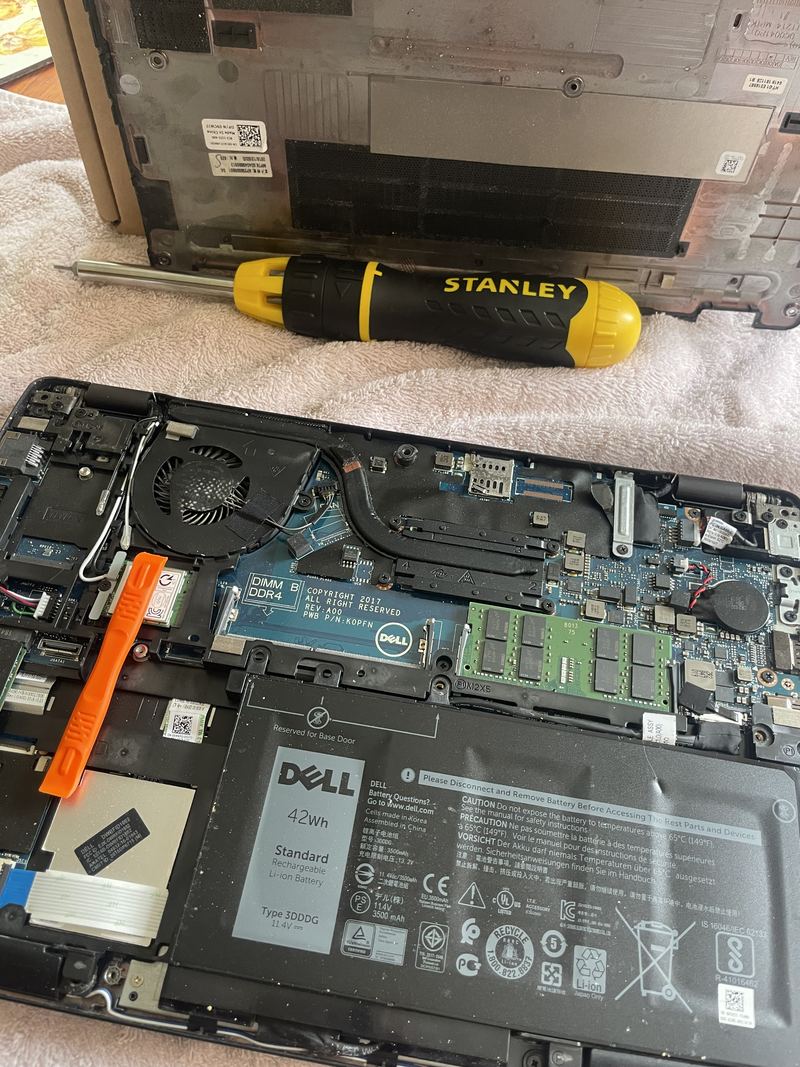
We photographed a laptop battery replacement on a Dell Latitude 5290: replacing a laptop battery, start to finish.
Chargers
The charger deserves the same care. The Office for Product Safety and Standards publishes product safety reports, and chargers are among them:
- A counterfeit 65W USB-C laptop charger, listed on eBay for Apple, Lenovo, Samsung and Acer laptops, with a serious risk of fire: a poorly built transformer, and no ballast in the plug to let the fuse work safely. The report says to stop using it immediately and contact the seller.
- A replacement laptop charger for Samsung sold via Wish, with a serious risk of electric shock after failing the electrical strength test.
- A counterfeit Apple-branded USB-C adapter whose plug pins did not connect securely, a serious risk of fire and electric shock.
Look for the UKCA or CE marking. Government guidance on the markings says either one shows the manufacturer believes the product meets the relevant requirements, and Great Britain recognises both. It is the maker’s own declaration, so it means most on a charger from a maker you know, and the reports on the Apple-branded adapter and a counterfeit Samsung charger both found problems with the markings.
Match the rating, too: Apple says a Mac on an adapter rated below the wattage it needs may charge slowly or unreliably. If you think a charger is fake, Citizens Advice says you have the right to a refund and can report the seller to Trading Standards.
Questions to ask any repairer about the part
A quote that names the part protects you, whoever does the work. Before you agree, ask:
- Is the part genuine, compatible or used, and will the quote say so in writing?
- If it is not genuine, what will change? On an iPhone, expect Unknown in Parts and Service History where the model tracks that part, and ask about True Tone, brightness and touch for a screen, or the battery health reading for a battery.
- If it is genuine, will the repair be finished? On an iPhone 12 or later, that means Repair Assistant. On a Pixel, ask whether the fingerprint sensor is adjusted after a new screen.
- If it is used, where did it come from? Ask whether it was tested and, for an iPhone part, whether it is unlocked from the previous owner’s Apple Account.
- How will Face ID, Touch ID or the fingerprint sensor keep working?
- What happens to the old part? You may want it back. A damaged or swollen battery should go for safe disposal, not into a drawer.
- What guarantee covers the part and the work?
- Is the device still under the maker’s warranty or a plan such as AppleCare? If so, start with the maker. Apple says damage from repairs with non-genuine parts is not covered by its warranty, and Samsung says the same of damage from a repair by anyone other than its authorised service partners.
Your rights when you pay for a repair
A repair is a service, and the Consumer Rights Act 2015 says every contract to supply a service includes a term that the trader must perform it with reasonable care and skill. Three more sections matter here:
- What the trader tells you counts. Under section 50, anything said or written to you about the service is a term of the contract if you take it into account when deciding to go ahead. If the quote names a genuine part and you agree on that basis, a genuine part is part of the deal.
- If the work falls short, you can require the trader to do it again, at their cost and within a reasonable time (section 55). If that is impossible, or the trader does not do it within a reasonable time and without significant inconvenience to you, you can ask for a price reduction, which can be the full price (section 56).
- The small print cannot remove the duty. Under section 57, a term is not binding on you if it would exclude the trader’s liability for reasonable care and skill, or for what they told you.
Citizens Advice’s guidance for England adds that you can go straight to a discount if a repeat is not possible, would take too long or would be very inconvenient, and that you can ask for things to be put right for up to six years in England, Wales and Northern Ireland, or five in Scotland.
How we handle parts
Our standards and terms promise the same thing. We fit genuine parts, made by or for your device’s manufacturer, wherever one is available for your model. Where only a compatible part is available, the quote says so before you agree. We only ever replace the parts in your quote, and we never remove or swap a working part. If you ask, you can have or see the parts we replaced, except a damaged or swollen battery, which goes to a licensed recycler.
Tell us the make, the model and what happened, and we will tell you what kind of part is available for it and what that would mean for the device afterwards, before you agree to anything. We come to you across Leeds, West Yorkshire, Harrogate, Knaresborough and York, or collect the device and bring it back. For phones, start with phone repair or the cracked phone screen page.
Questions people ask
Will my iPhone still work with a screen or battery that is not genuine?
Yes. Apple says the messages in Parts and Service History do not stop you using the phone. What can change is how the part behaves. Apple's own list for a non-genuine display includes True Tone not working correctly, wrong colours, lower or uneven brightness, touch problems and extra battery drain, and for a battery it cannot verify, Apple says the battery health figures may not be accurate. Ask which kind of part is going in before you agree to the repair.
What does Unknown mean in Parts and Service History?
It means the iPhone could not confirm a replaced part. Apple gives four reasons: the part is not a genuine Apple part, is not working as expected, has not been verified and linked to the phone after the repair, or has been modified or cannot otherwise be verified. Apple says an Unknown part might affect the phone's trade-in value, and the phone shows a notification the first time you unlock it after the repair and again five days later. The list is in Settings, General, About, on a repaired iPhone running iOS 15.2 or later.
What does Used mean next to a part on an iPhone?
It means a genuine Apple part that was already used or installed in another iPhone. Apple shows it for the battery, the display and the rear camera on the iPhone 15 and later with iOS 18 or later. Apple says a previously used part may work in a different iPhone, but its performance and quality may be inconsistent, so ask where a used part came from and whether it was tested.
Can I buy genuine phone parts myself in the UK?
For many models, yes. Apple's Self Service Repair is available in the UK, with genuine parts, tools to buy or rent, and repair manuals. Samsung's Self-Repair programme has run in the UK since June 2023 for the Galaxy models it lists. Google sells genuine Pixel parts through iFixit, including iFixit UK. Apple and Google both say self-repair is for people with relevant experience, and Samsung says not to attempt it on a phone with a swollen battery.
Is a non-genuine laptop charger safe to use?
Some are and some are not. The Office for Product Safety and Standards has reported a counterfeit USB-C laptop charger sold on eBay with a serious risk of fire, and a replacement laptop charger sold via Wish with a serious risk of electric shock. Buy the laptop maker's charger or one from a seller you trust, look for the UKCA or CE marking, and match the rating of the original. If you suspect a charger is fake, stop using it and contact the seller.
What can I do if a repair was not done well?
The Consumer Rights Act 2015 says a service must be carried out with reasonable care and skill. If it was not, you can ask the trader to do the work again, at their own cost and within a reasonable time. If that is not possible, or would take too long or be very inconvenient, you can ask for a price reduction instead. Citizens Advice says you can ask for things to be put right for up to six years in England, Wales and Northern Ireland, or five years in Scotland.
A free first opinion
Not sure what your machine needs? Ask.
Tell us the fault and you get a first opinion, free: what it sounds like, whether it is worth doing, and what it is likely to cost. A photo of the screen or the machine helps. A £50 call-out if we come out, a fixed quote before any work, and no fix, no fee on the repair.
We do this in person across Leeds, West Yorkshire, Harrogate, Knaresborough and York, day or night, Sunday to Friday.
Keep reading
-
Speed, upgrades and upkeep
How to check battery health on a laptop, an iPhone or an Android phone
Where Windows, macOS, iPhone, Pixel and Samsung show battery health, what the figures mean, the 80 per cent mark the makers use, and when to replace one.
-
Phones, tablets and televisions
Phone will not charge? The five causes, cheapest first
A phone that will not charge is one of five things, and the cheap ones are the common ones: the cable, the plug, lint in the port, the port itself, or the battery. How to work through them in order at home, what each one looks like, and when it stops being a job for a toothpick.
-
Speed, upgrades and upkeep
Replacing a laptop battery: a Dell Latitude 5290, start to finish
What a laptop battery replacement actually involves, photographed as it was done on a Dell Latitude 5290: the base off, the old cell out, a new cell in from its anti-static bag, and what to check before the machine goes back into use.
